



- Details
- Category: Repayment by Mobile Banking
- Hits: 7836
(၁) AYA Pay app ကို ဖွင့်၍ ‘ဘေလ်’ကိုရွေးပါ။
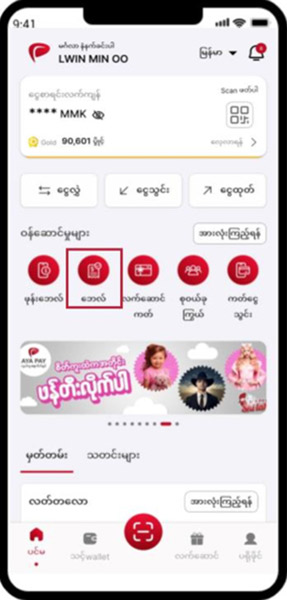
(၂) ဘေလ်၀န်ဆောင်မှု အောက်တွင်ရှိသော ‘ငွေကြေး၀န်ဆောင်မှု’ကိုရွေးပါ။
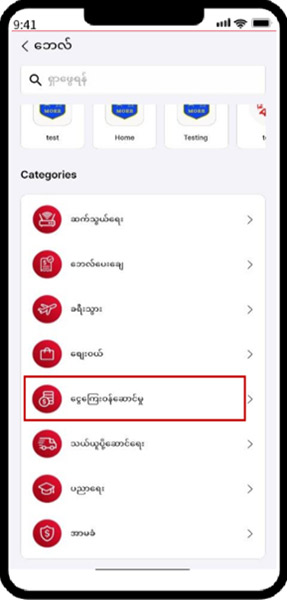
(၃) ငွေကြေး၀န်ဆောင်မှုအောက်တွင်ရှိသော ‘Aeon Microfinance’ကိုရွေးချယ်ပါ။
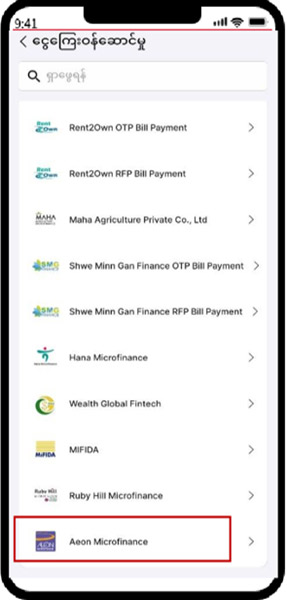
(၄) ဝန်ဆောင်မှုတွင် ‘Aeon Cash Collection’ကိုရွေးချယ်ပါ။
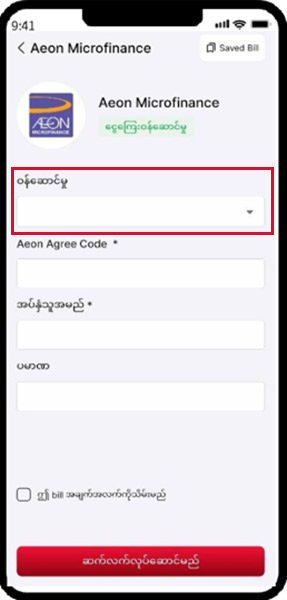
(၅) လိုအပ်သော အချက်အလက်များကိုဖြည့်သွင်းပြီးလျှင် ‘ဆက်လက်လုပ်ဆောင်မည်’ ကို နှိပ်ပါ။
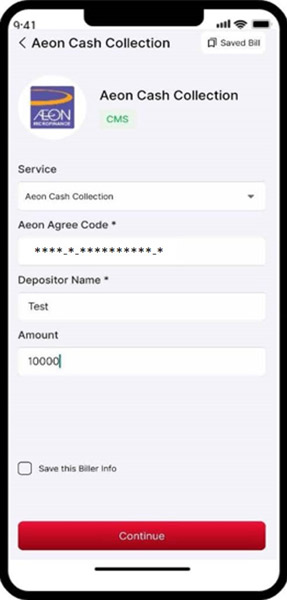
(၆) လိုအပ်သောအချက်အလက်များကိုဖြည့်သွင်း၍စစ်ဆေးပြီးလျှင် ’အတည်ပြုမည်’ ကို နှိပ်ပါ။
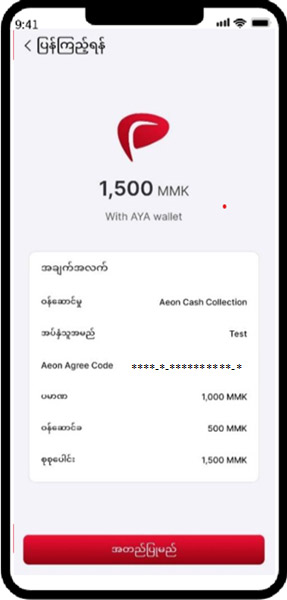
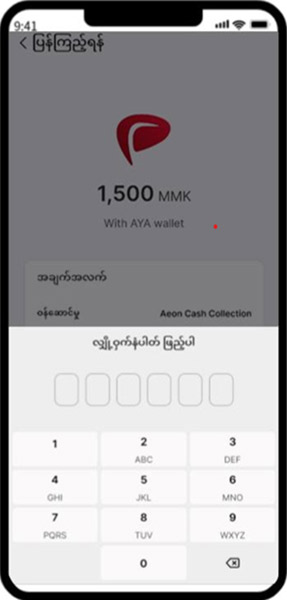
(၇) ပေးသွင်းရမည်ကို စစ်ဆေးပြီးလျှင် Password(ဂဏန်း ၆ လုံး)အား နှိပ်ပါ။
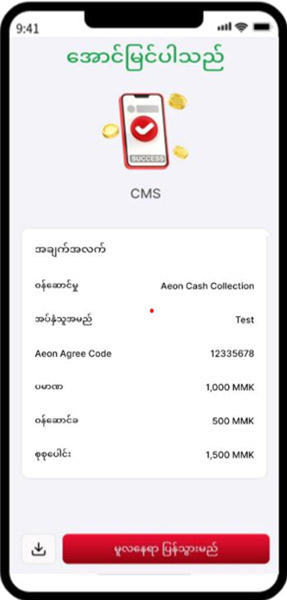
(၈) Aeonသို့ ငွေပေးချေမှု အောင်မြင်ပါသည်။
- Details
- Category: Repayment by Mobile Banking
- Hits: 13778
NearMe တွင် AEON ချေးငွေပြန်လည်ပေးသွင်းပုံ အဆင့်ဆင့်
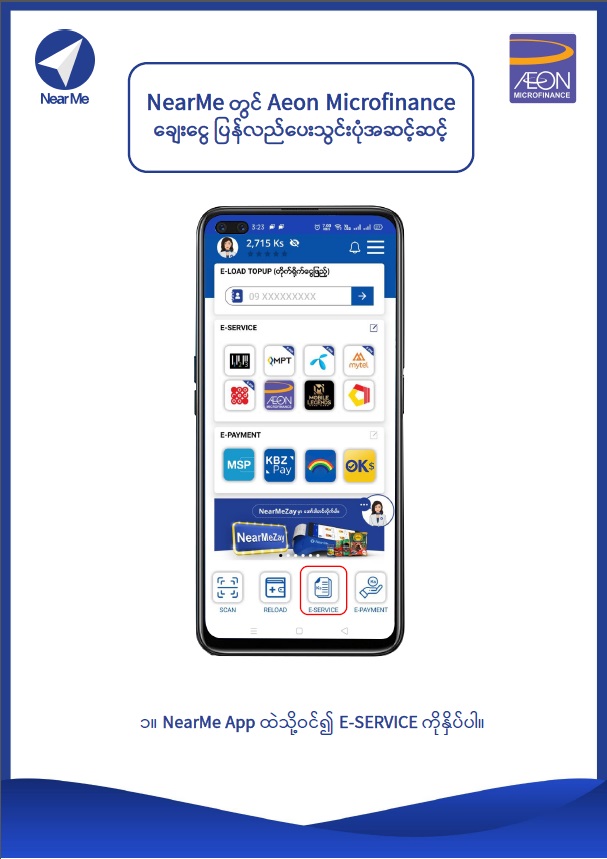
၁။ NearMe App ထဲသို့ဝင်၍ E-SERVICE ကိုနှိပ်ပါ။
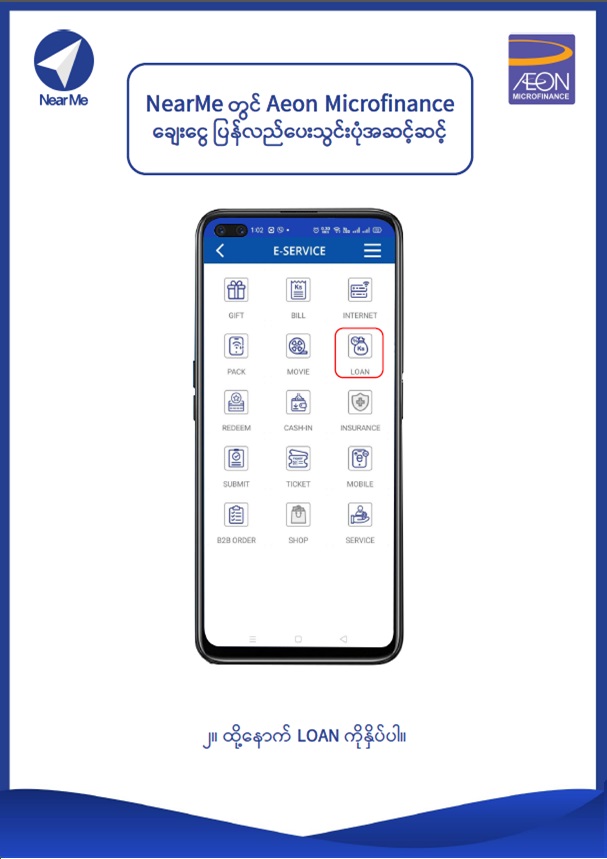
၂။ ထို့နောက် LOAN ကိုနှိပ်ပါ။
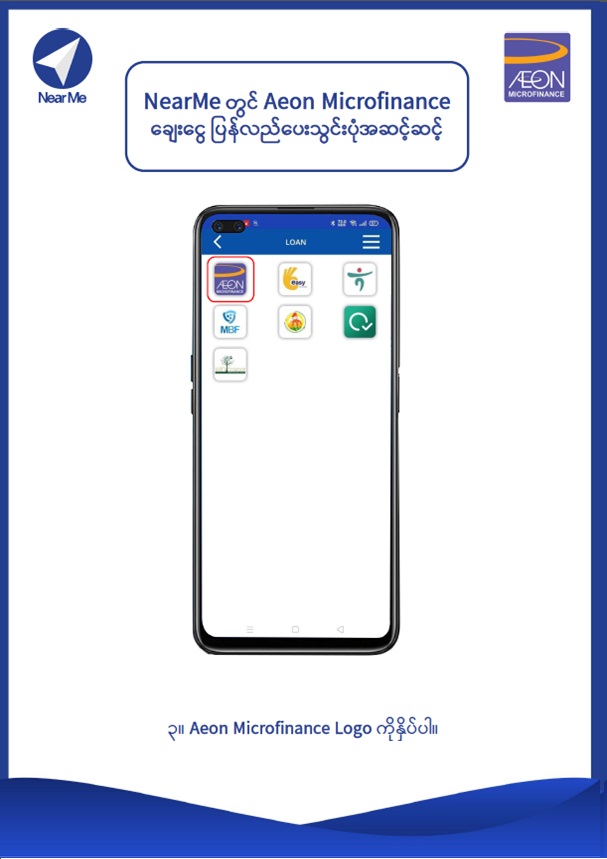
၃။ AEON Microfinance Logo ကိုနှိပ်ပါ။
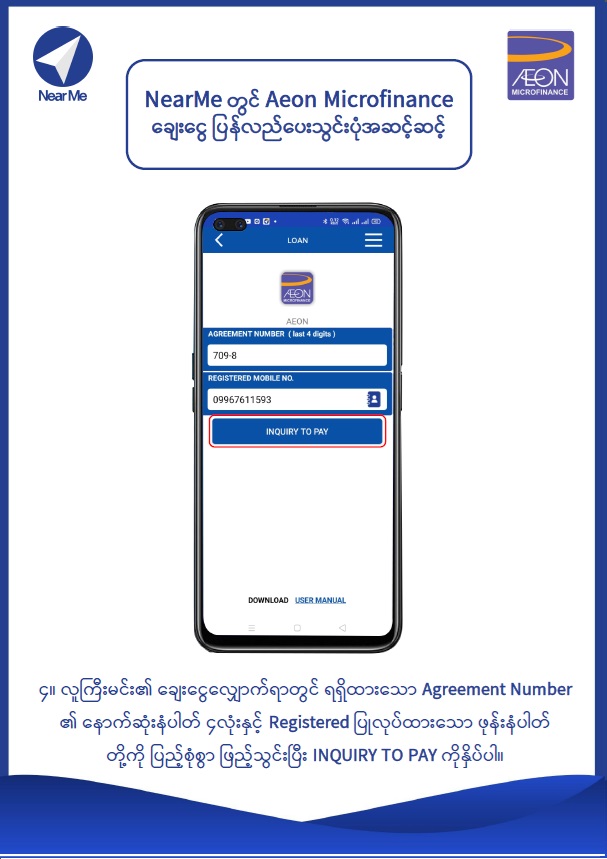
၄။ လူကြီးမင်း၏ ချေးငွေလျှောက်ရာတွင် ရရှိထားသော Agreement Number ၏ နောက်ဆုံးနံပါတ် ၄လုံးနှင့် Registered ပြုလုပ်ထားသော ဖုန်းနံပါတ်တို့ကို ပြည့်စုံစွာ ဖြည့်သွင်းပြီး INQUIRY TO PAY ကိုနှိပ်ပါ။
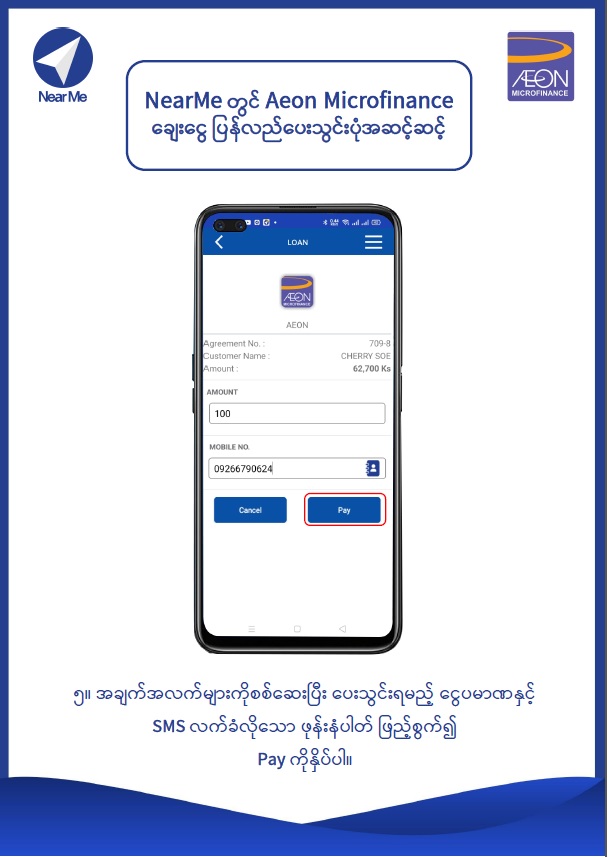
၅။ အချက်အလက်များကိုစစ်ဆေးပြီး ပေးသွင်းရမည့်ငွေပမာဏနှင့် SMS လက်ခံလိုသော ဖုန်းနံပါတ်ကို ဖြည့်စွက်၍ Pay ကိုနှိပ်ပါ။
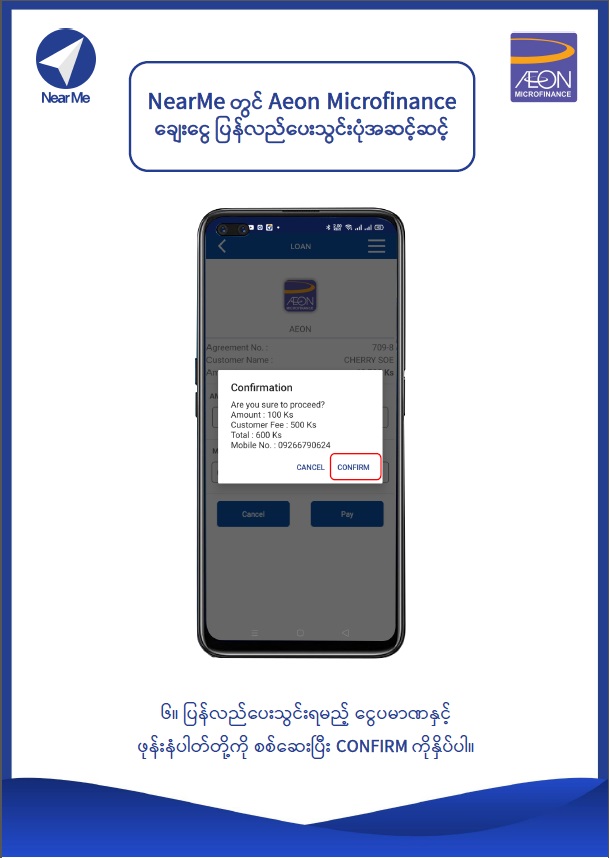
၆။ ပြန်လည်ပေးသွင်းရမည့် ငွေပမာဏနှင့် ဖုန်းနံပါတ်တို့ကို စစ်ဆေးပြီး CONFIRM ကို နှိပ်ပါ။
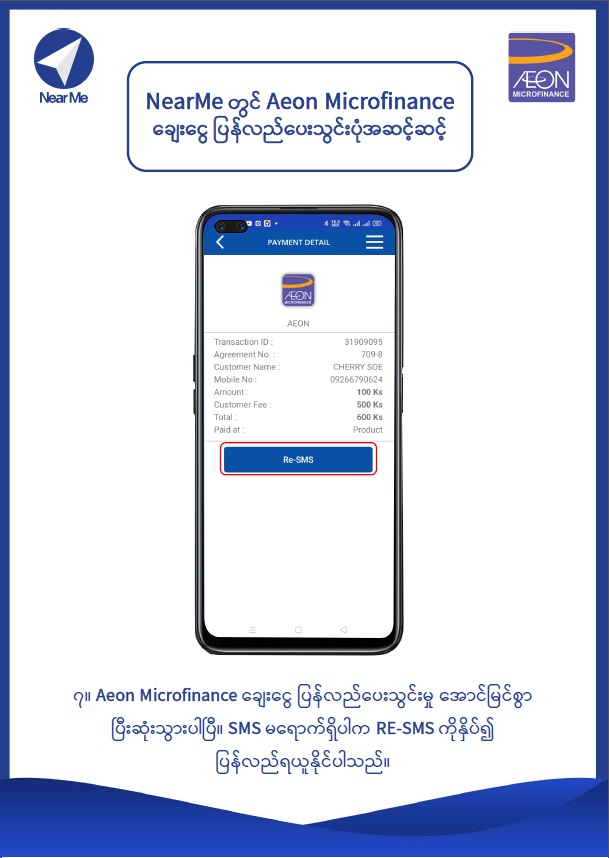
၇။ Aeon Microfinance ချေးငွေ ပြန်လည်ပေးသွင်းမှု အောင်မြင်စွာ ပြီးဆုံးသွားပါပြီ။ SMSမရောက်ရှိပါက RE-SMSကိုနှိပ်၍ပြန်လည်ရယူနိုင်ပါသည်။
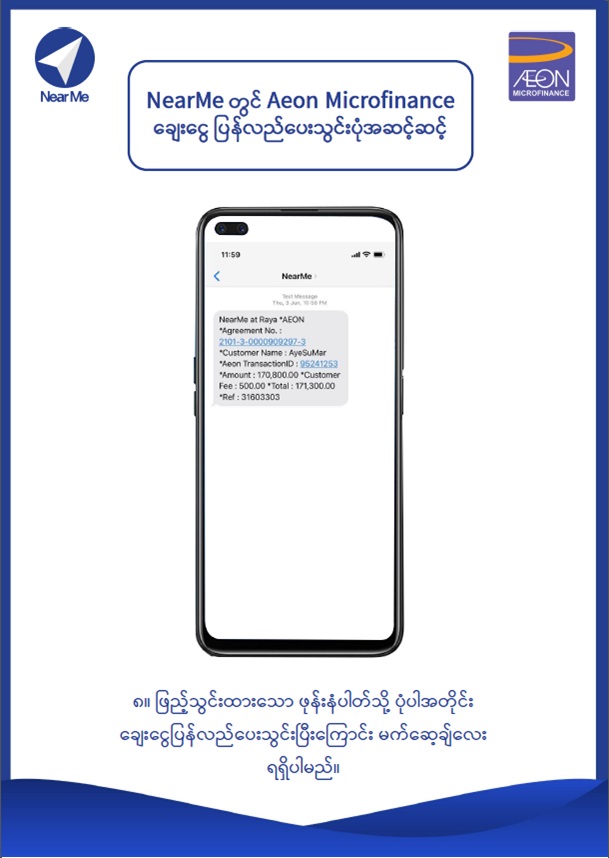
၈။ ဖြည့်သွင်းထားသော ဖုန်းနံပါတ်သို့ ပုံပါအတိုင်း ချေးငွေပြန်လည်ပေးသွင်းပြီးကြောင်း မက်ဆေ့ခ်ျလေး ရရှိပါမည်။
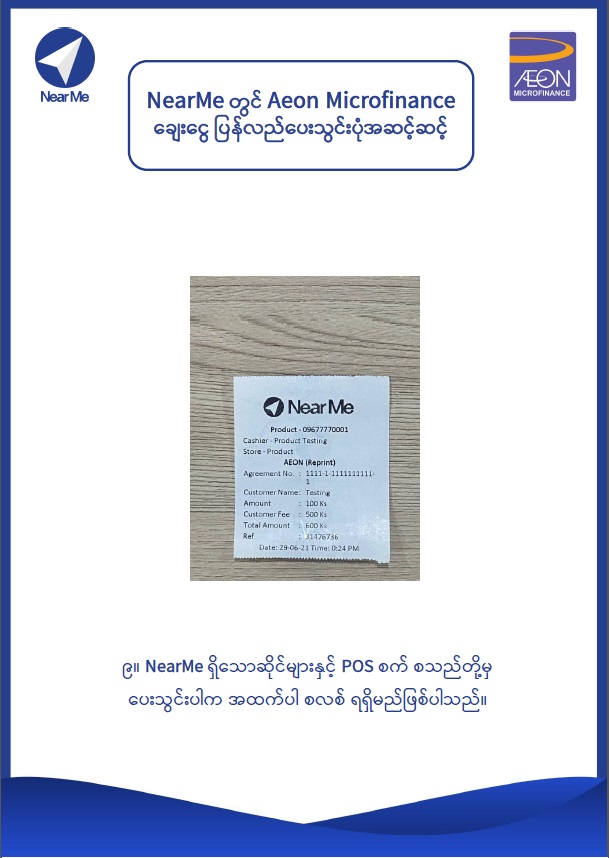
၉။ NearMe ရှိသောဆိုင်များနှင့် POS စက် စသည်တို့မှ ပေးသွင်းပါက အထက်ပါ စလစ်ရရှိမည်ဖြစ်ပါသည်။
- Details
- Category: Repayment by Mobile Banking
- Hits: 10871
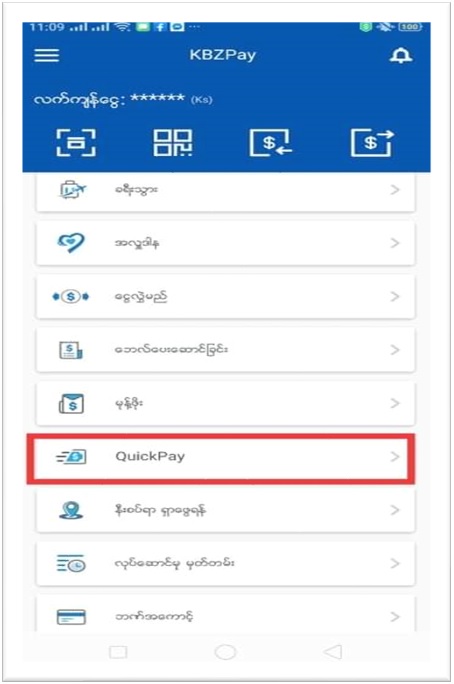
၁။ KBZPay ပင်မစာမျက်နှာမှ QuickPay ကိုရွေးချယ်ပါ။
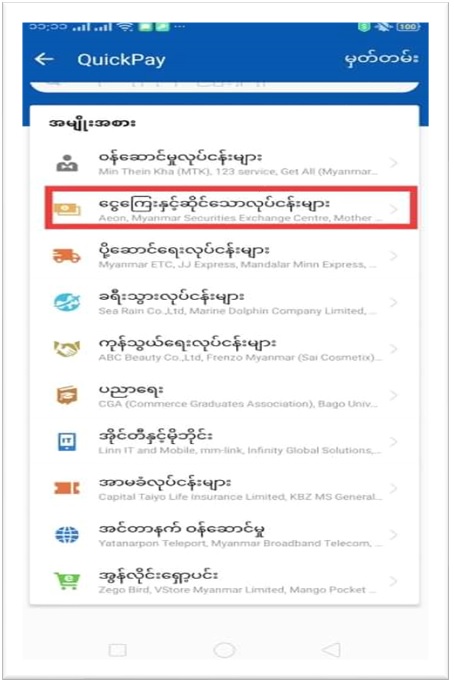
၂။ ငွေကြေးနှင့်ဆိုင်သော လုပ်ငန်းများကိုရွေးပါ။
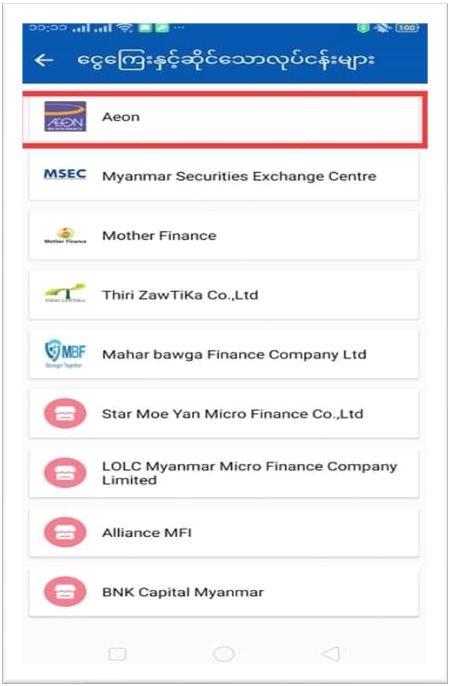
၃။ ပေးသွင်းရမည့် Aeon ကုမ္ပဏီကိုရွေးပါ။
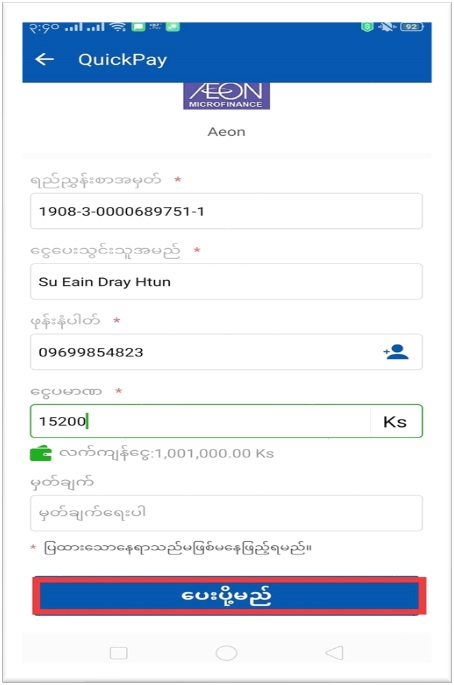
၄။ အချက်အလက်များ ထည့်သွင်းပြီးပါက "ပေးပို့မည်" ကိုနှိပ်ပါ။
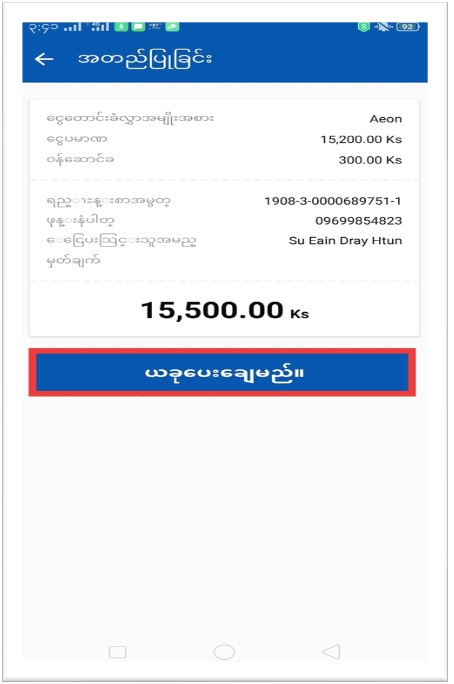
၅။ အချက်အလက်များမှန်မမှန် စစ်ဆေး ပြီးပါက “ယခုပေးချေမည်” ကိုနှိပ်ပါ။
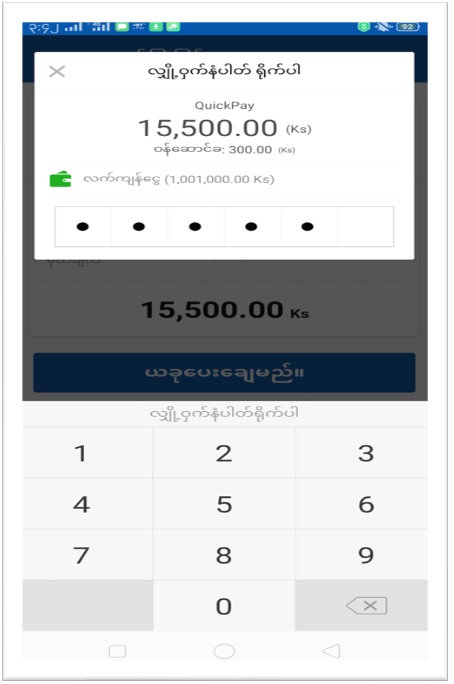
၆။ မိမိ Register ပြုလုပ်စဉ်က သတ်မှတ်ထားသည့် PIN (၆) လုံး အား ရိုက်ထည့်ပါ။
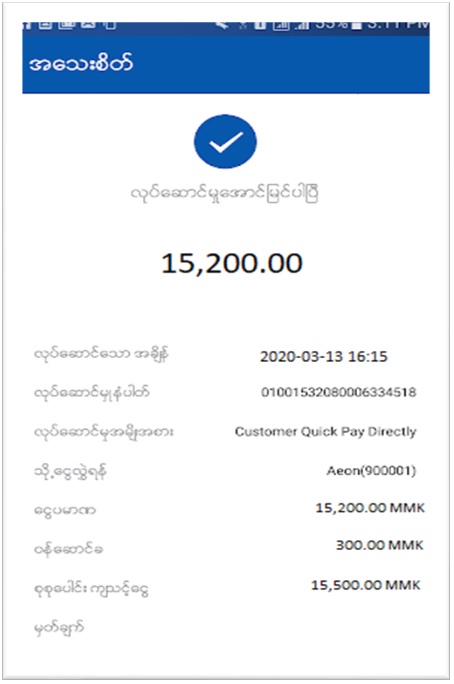
၇။ လုပ်ဆောင်မှု အောင်မြင်ပါသည်။
- Details
- Category: Repayment by Mobile Banking
- Hits: 12813
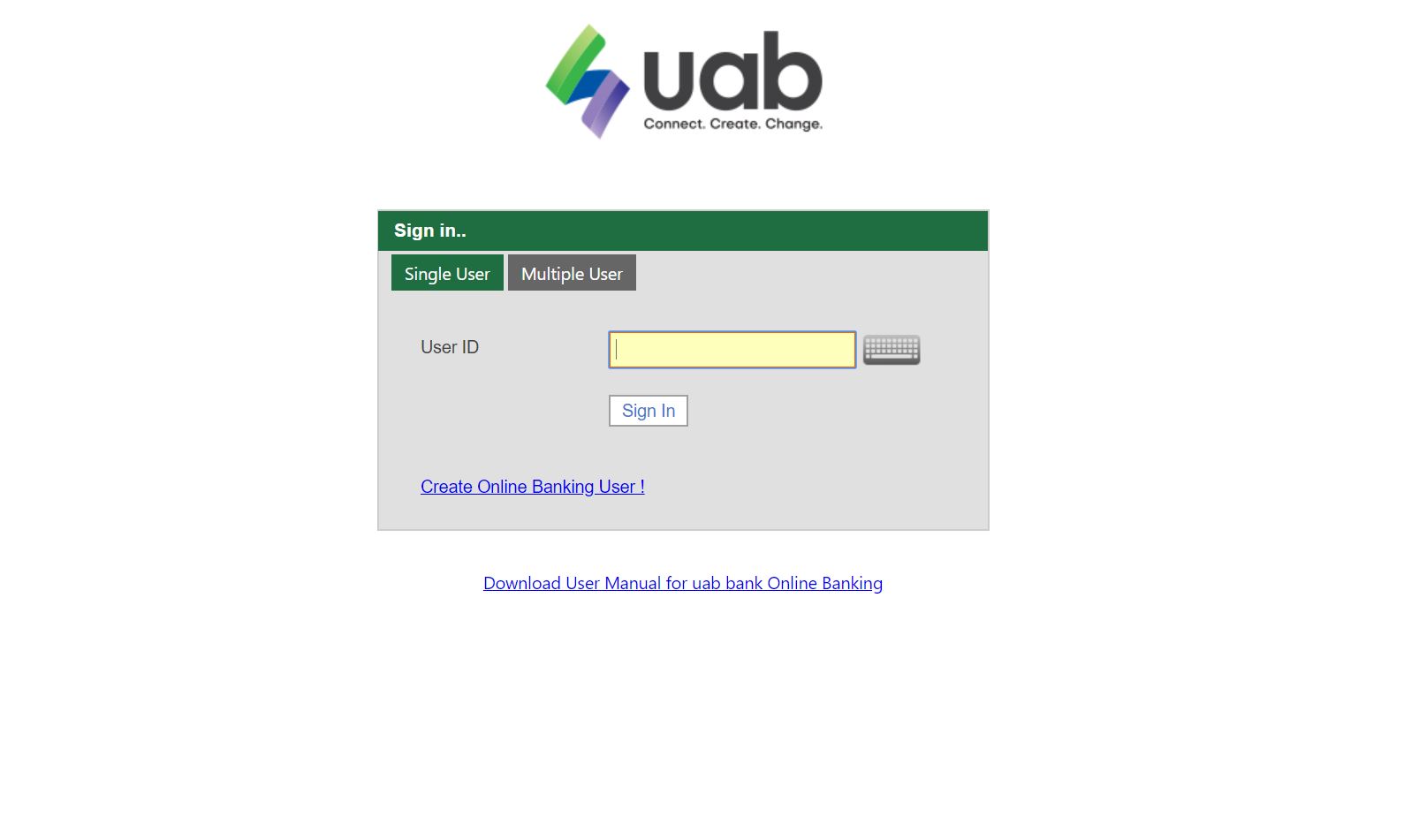
First Customer has to register UAB Online Banking.
1. Please insert "User ID" and Click "Sign In".
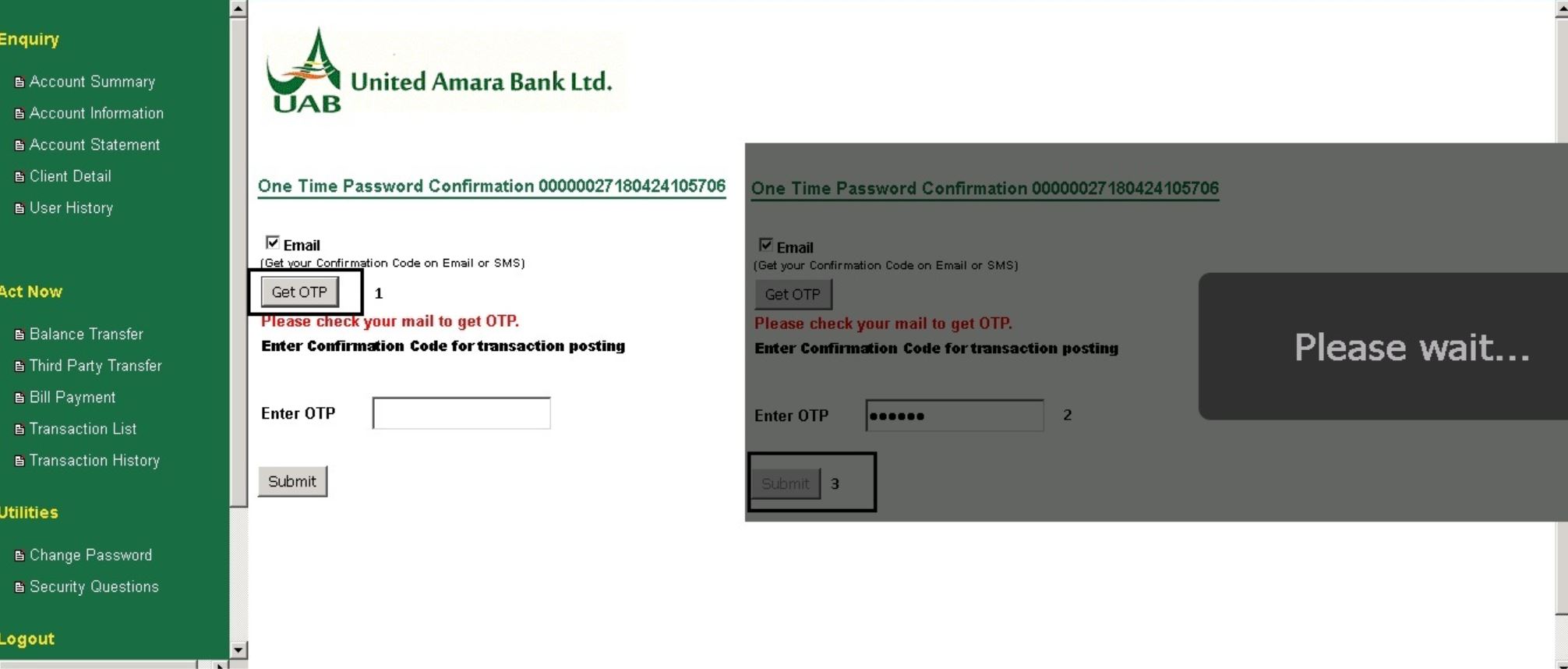
2. Please click "GET OTP", you will get "OTP Number". After that Please insert it at "Enter OTP"
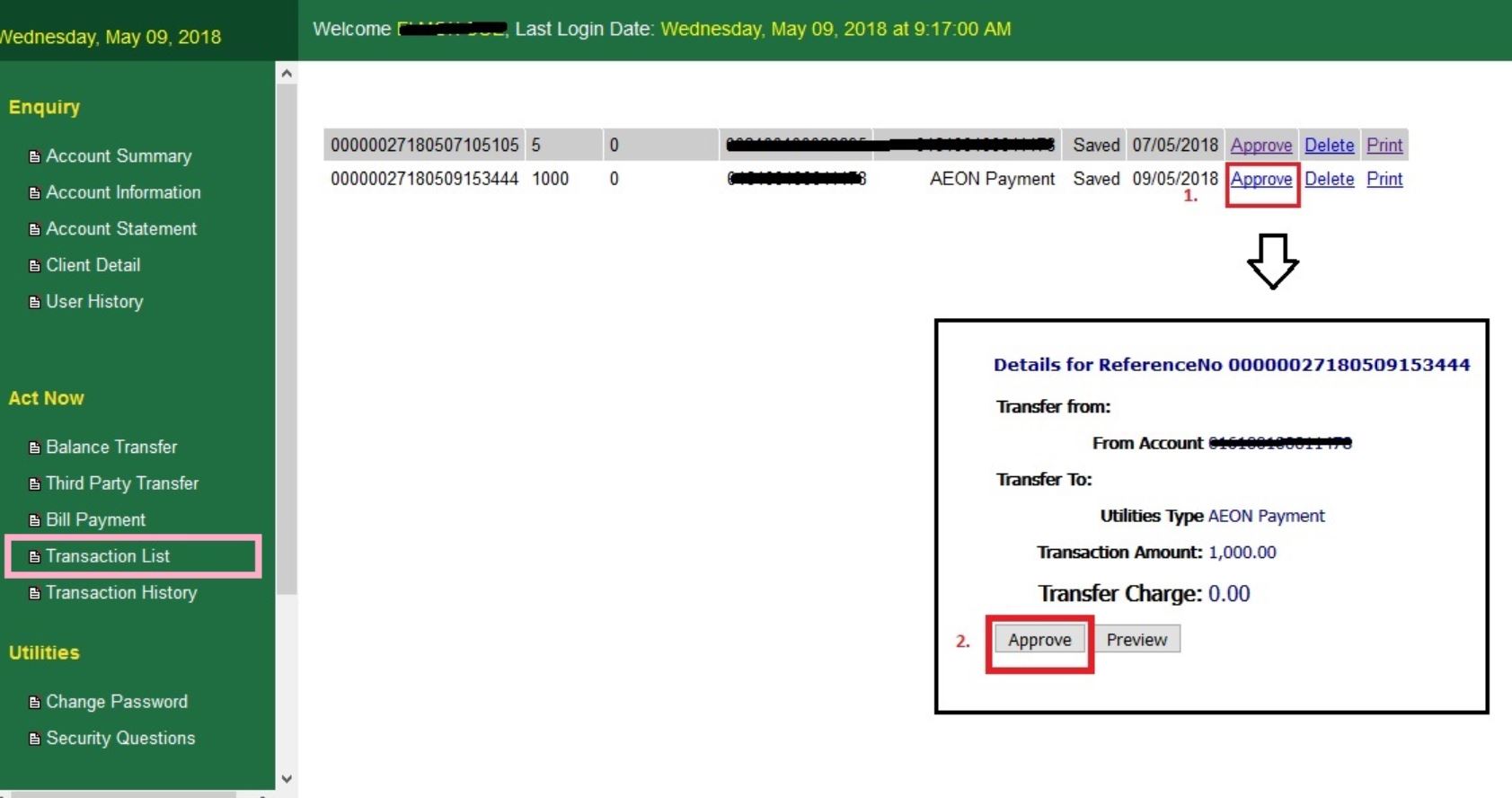
3. In Translation List, Please find AEON Payment and click "Approve" Button.
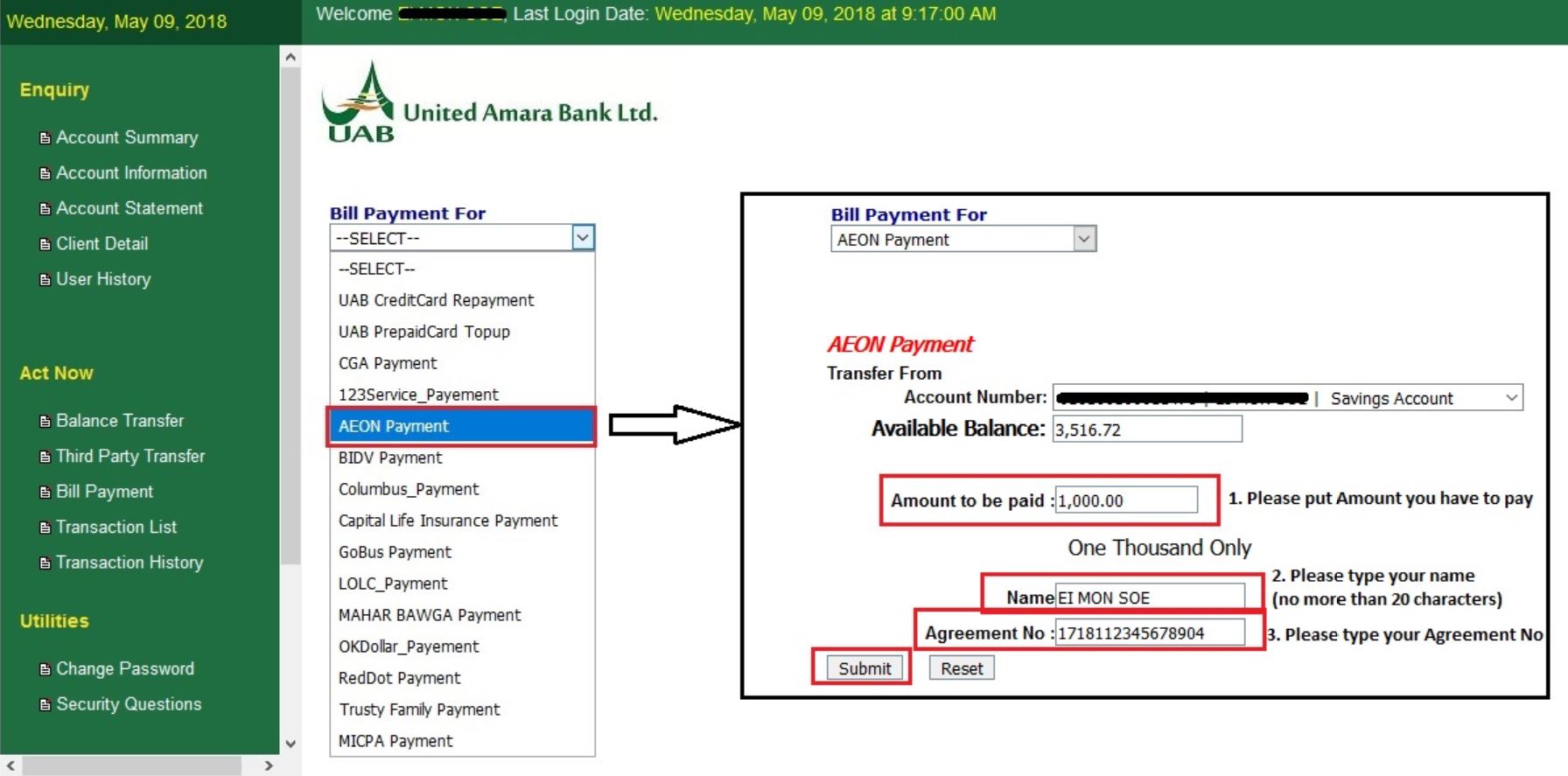
4. In Bill Payment, Select "AEON Payment" and insert require information and then click "Submit".
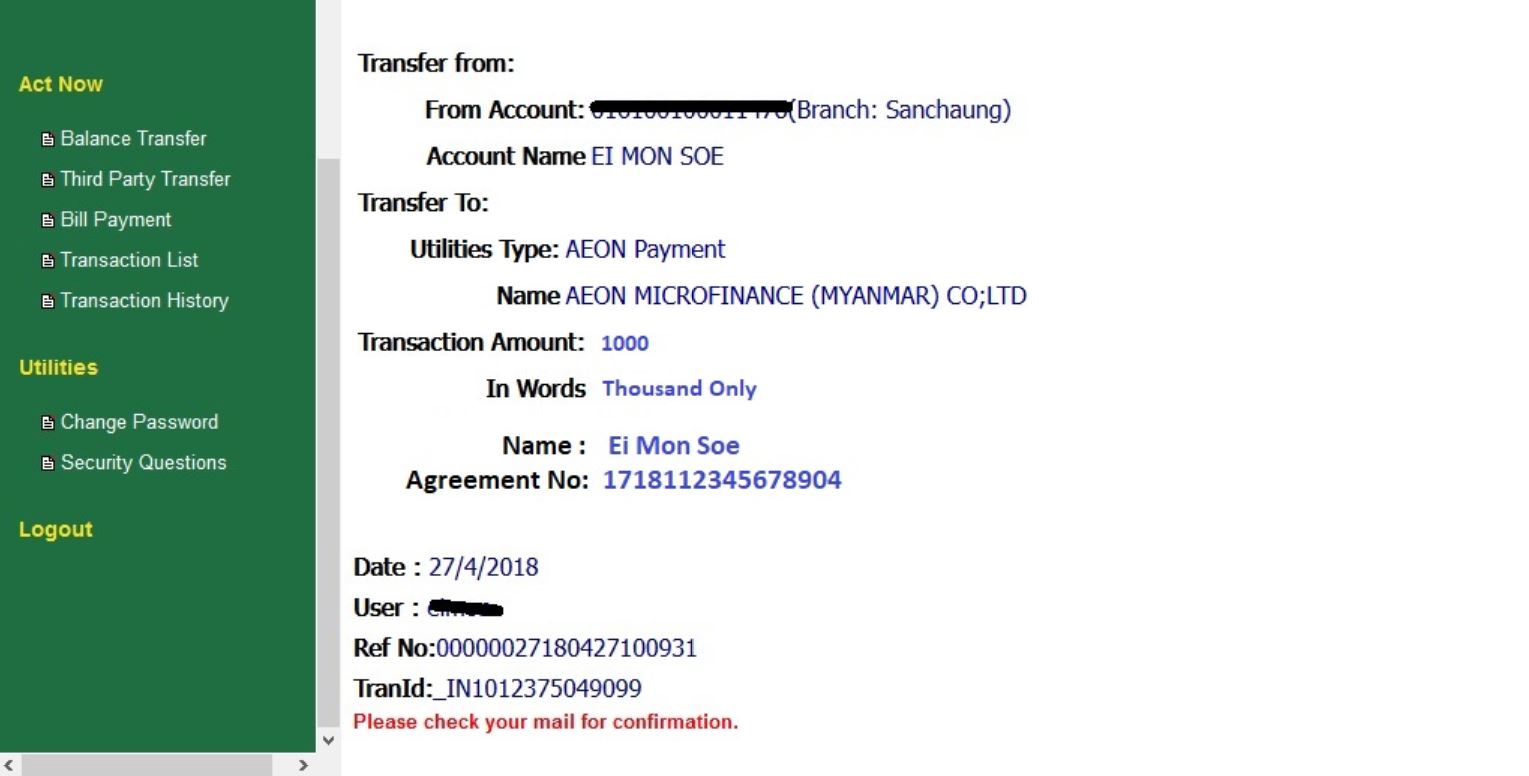
5. Please check AEON Repayment was correct and finished.
- Details
- Category: Repayment by Mobile Banking
- Hits: 44812
First Customer has to install the AYA Mobile Application
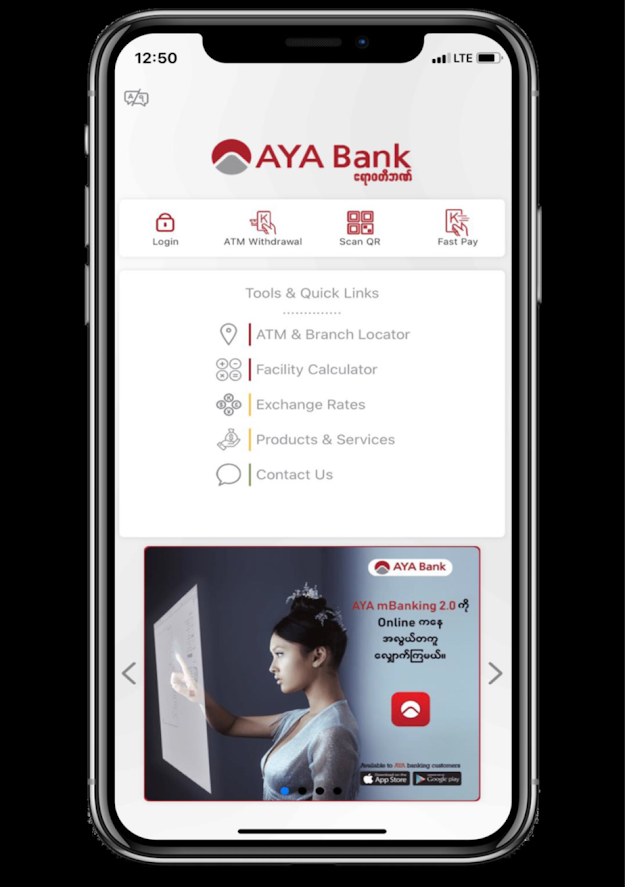
၁။ AYA mBanking 2.0 သို့ဝင်ရန် နှိပ်ပါ။
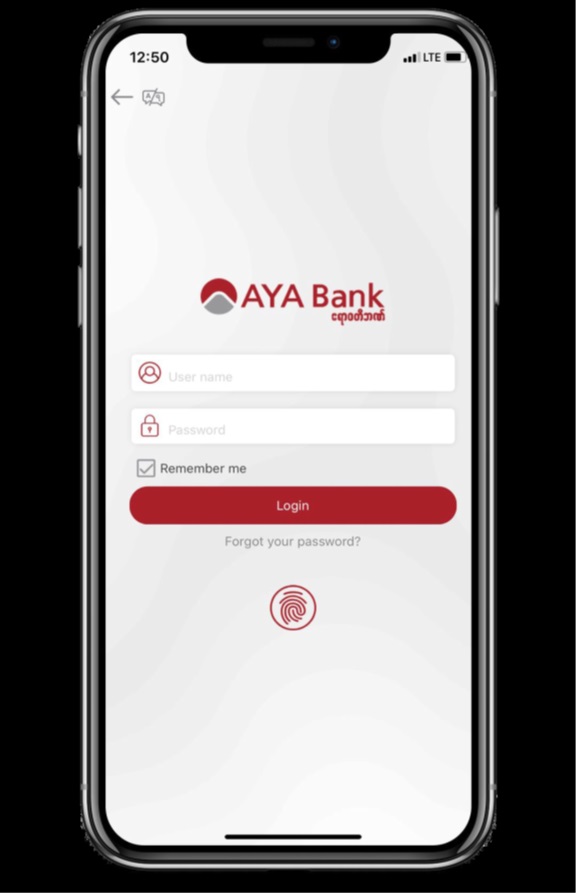
၂။ Username နှင့် Password မှန်ကန်စွာဖြည့်ပြီး Login ကို နှိပ်ပါ။
၃။ ပင်မစာမျက်နှာမှ Bill Payment အားရွေးခြယ်ပါ။
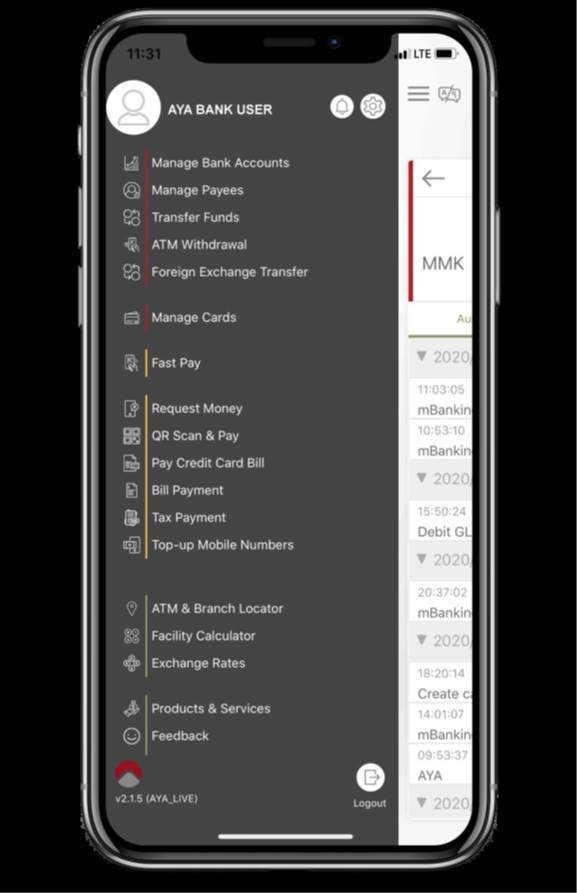
၄။ ထိုနေရာတွင် "Aeon Microfinance" ရိုက်ထည့်ပါ သို့မဟုတ် ရှာဖွေပါ။
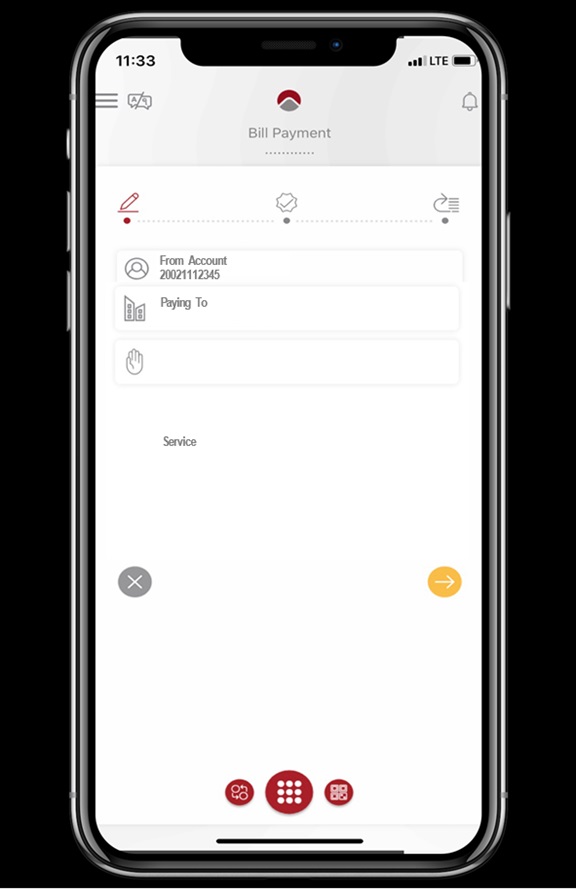
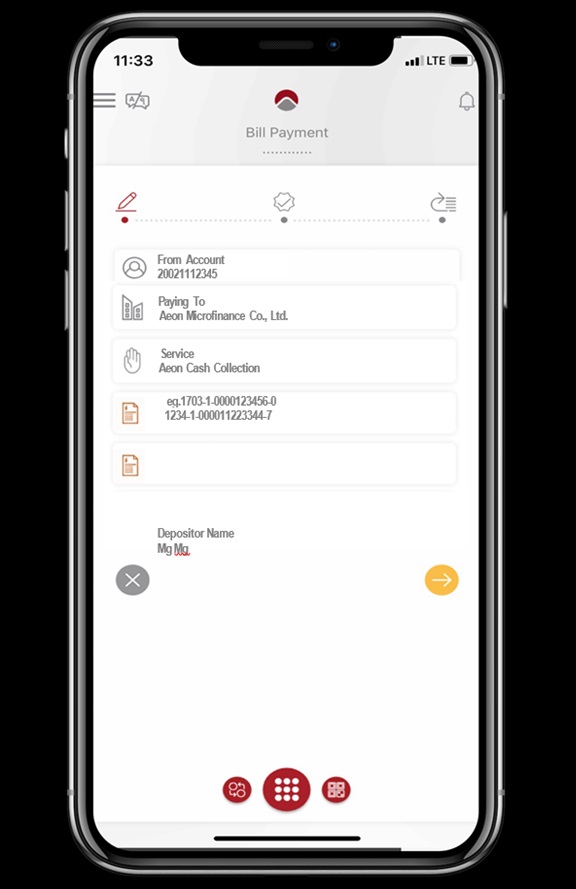
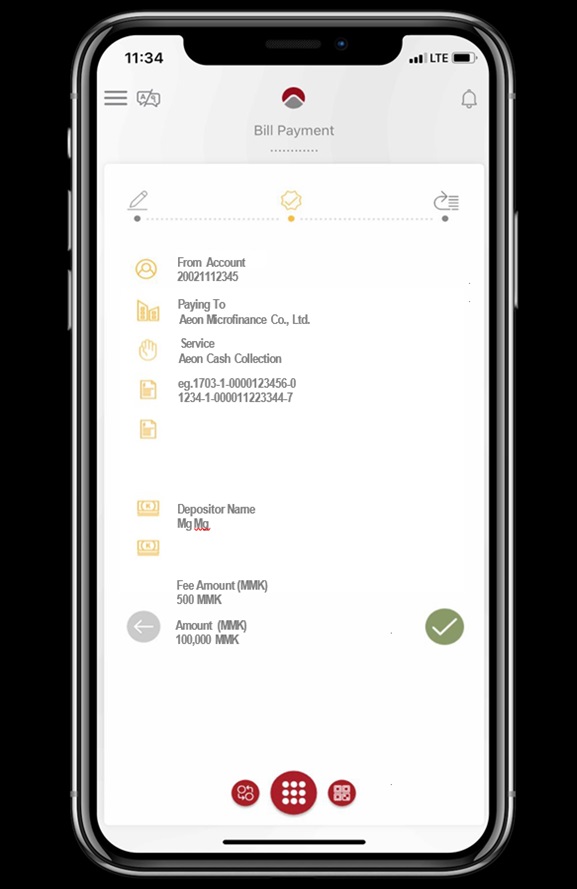
၅။ ID, Depositor Name တို့ကို သတ်မှတ်ထားသော နေရာတွင်ရိုက်ထည့်ပါ။
၆။ ပေးသွင်းရမည့် ငွေပမာဏကို ရိုက်ထည့်ပါ။
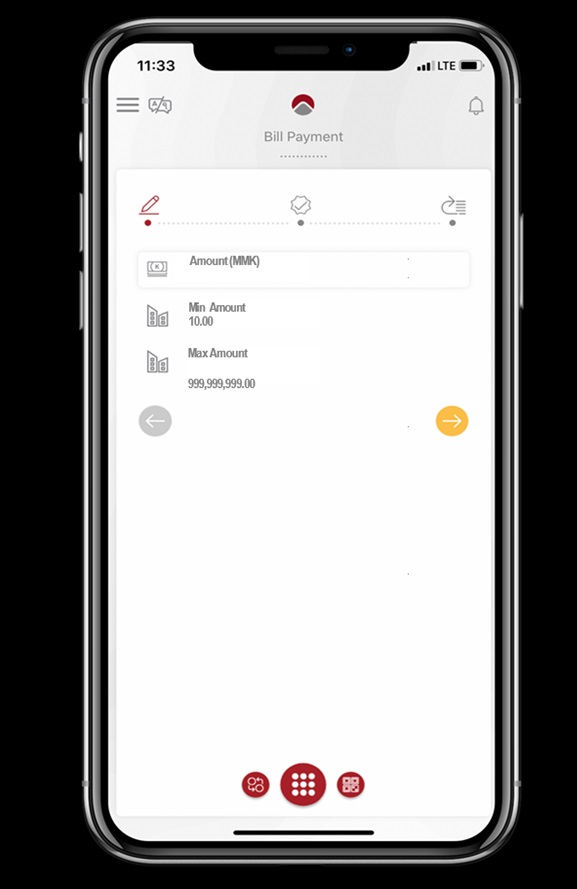
၇။ ဖြည့်စွက်ထားသော အချက်အလက်များ မှန်မမှန်စစ်ဆေးပြီး မှန်ကန်ပါက နောက်တဆင့်သို့သွားပါ။
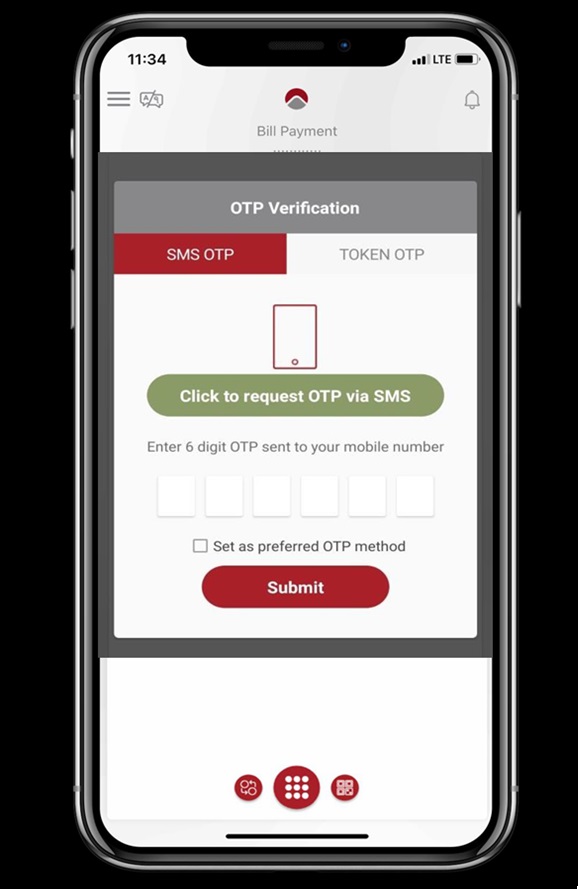
၈။ "Click to request OTP via SMS" ထိုနေရာ အားနှိပ်ပြီး OTP နံပါတ်အားတောင်းဆိုပါ။ ထို့နောက် ရရှိသော OTP နံပါတ်အား ရိုက်ထည့်ပြီး "Submit" နှိပ်ကာ ငွေပေးချေမှုအားပြုလုပ်ပါ။
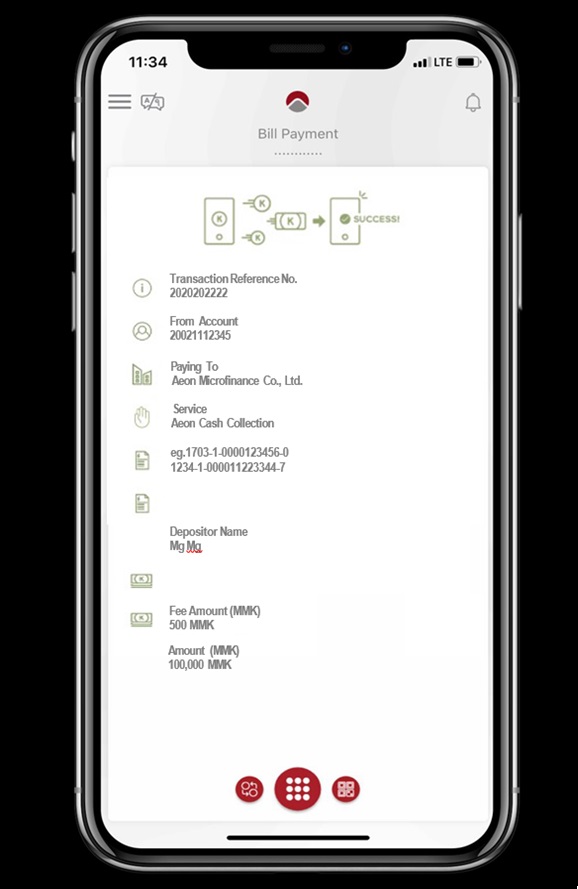
၉။ ငွေပေးချေမှု အောင်မြင်စွာ ပြီးဆုံးပါသည်။ ကျေးဇူး အထူးတင်ရှိပါသည်။
သတင်းအချက်အလက်
-
 Customer Service Hotline Operation Hours Changes , 2026-02-09
၂၀၂၆ ခုနှစ် ဖေဖော်ဝါရီလ (၁၆) ရက်နေ့နှင့် (၁၇) ရက်နေ့သည် အများပြည်သူရုံးပိတ်ရက် ဖြစ်ပါသောကြောင့် ထိုနေ့တွင် အီရွန် ကုမ္ပဏီ၏ Customer Service Hotline
-
Customer Service Hotline Operation Hours Changes , 2026-02-09
၂၀၂၆ ခုနှစ် ဖေဖော်ဝါရီလ (၁၂) ရက်နေ့နှင့် (၁၃) ရက်နေ့သည် အများပြည်သူရုံးပိတ်ရက် ဖြစ်ပါသောကြောင့် ထိုနေ့တွင် အီရွန် ကုမ္ပဏီ၏ Customer Service Hotline ၀န်ဆောင်မှုကို